Where a free till fits a café
A free browser till suits a café that serves at the counter. If most of your trade is someone ordering, paying and taking a coffee and a slice of cake, the till does what you need.
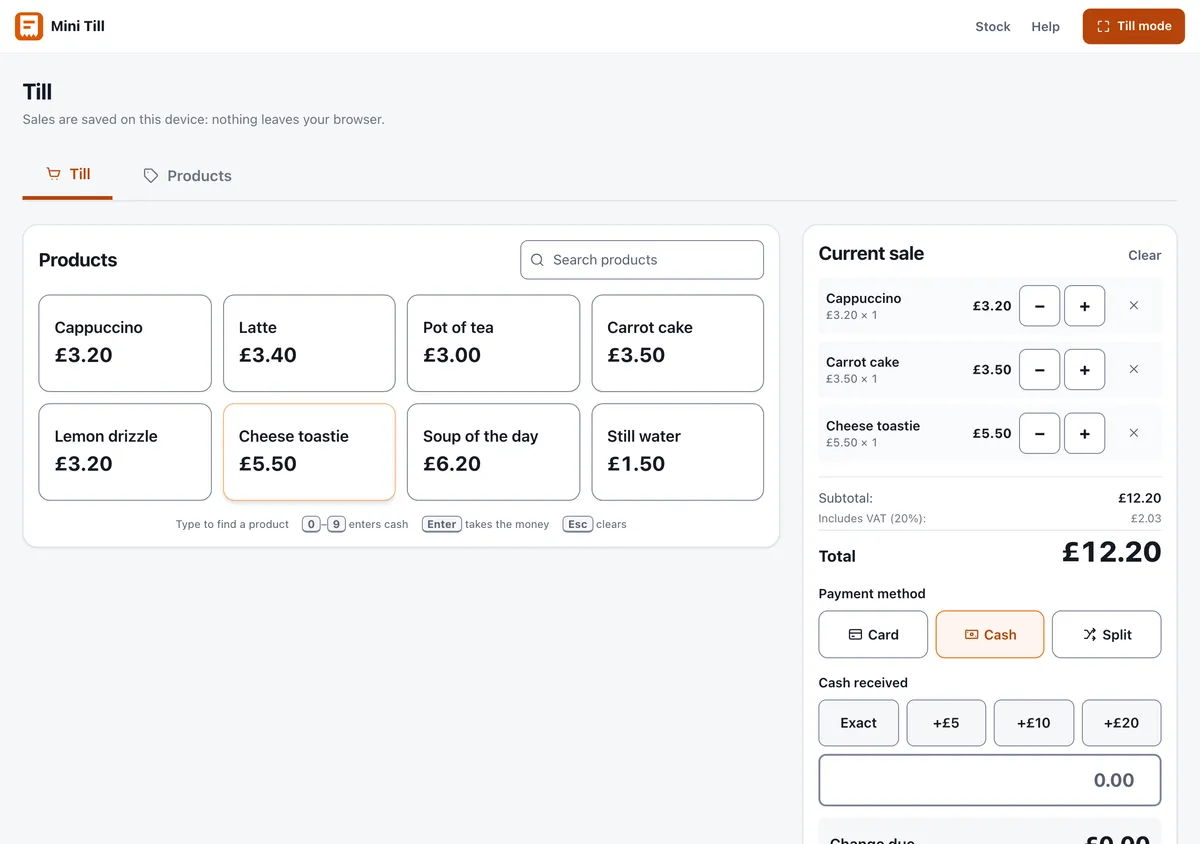
- Counter service and takeaway. Tap the items, take the payment, hand over the order.
- Drinks and a short food list. Coffee, cake, toasties and a soup of the day fit a grid of buttons.
- One or two tills. Each device keeps its own sales and its own totals.
- A slow signal. It keeps working if the broadband drops, because the till runs on the device.
Where it does not fit
Being clear about the limits saves you a bad month. Mini Till is the wrong tool if you need any of these:
- Table orders. There are no table plans and no orders that stay open while people eat.
- A kitchen printer or kitchen screen. Orders are not sent anywhere. You call or write them down.
- Tabs. A sale is completed when it is paid.
- Modifiers. There is no way to attach "extra shot" or "oat milk" to a drink. Give common variations their own button, such as Flat white and Flat white, oat.
- Barcode scanning. You tap labelled buttons, which suits a short menu better than a large catalogue.
- Emailed receipts or a drawer-opening printer. A receipt goes to the browser's print dialogue on request.
If two or more of those matter to you, a full hospitality system is the right buy. What a till system costs goes through what you would be paying for.
Setting up your price list
Add every item with a clear name and a price, and put the best sellers first. Put the size in the name rather than building a separate size system: Latte and Large latte read faster at the counter than a long product name. Use the optional categories, which are food, drink, retail and other, so the buttons are tinted by type. You can also import a list from a CSV with the columns name, price and category.
Practise a few sales before opening, then clear the practice data so your first real day starts from zero. The till manual walks through it.
VAT in a café
Mini Till treats every price as including VAT at 20 per cent, and shows the VAT inside each sale. That is the right treatment for hot drinks, hot food and anything eaten on the premises, which are standard-rated. Some cold takeaway food and drink is zero-rated, which changes the VAT you owe. Because the till uses a single rate, talk to your accountant about how to deal with zero-rated items.
The rules are on GOV.UK's page on VAT rates on different goods and services, with more on catering and takeaway food. Check them against what you sell. This is general guidance, not tax advice.
Cashing up
Count the drawer, take off the float, and compare the result with the Cash figure in the Today's sales panel. Then match your card reader's day total against the Card figure. A cash up sheet keeps the numbers together, and cash handling for a small business covers floats, counting and banking. Export the day to CSV and download a backup now and then, because the data lives on the device.
Two sites, one stock
A café with a second counter or a market stall can run into the problem of shared stock. Mini Till Pro holds stock centrally and moves it out to each location, at £10 a month for up to 5 people. The till stays free.
Not sure whether a minimal till is enough? Mini EPOS explained sets out the trade-off.